0 items
in your cart
Check Out!

Marketing Samples, Swatches, and Kits
Marketing Samples, Swatches, and Kits See exactly what your end product will look like.
Live Support ONLINE CHAT NOW!

Need Help?
Our live support is available for you, Mon-Fri 8AM-7PM EST
or call
800.521.5255

See exactly what your end product will look like.

Samples and swatches of all of our heat transfer materials are now available for online order.

Show your customers what a finished product will look and feel like with our samples. Simply apply with a heat press. Our Heat Transfer Kits make it easy to prepare displays and show your customers what you can do with different materials.

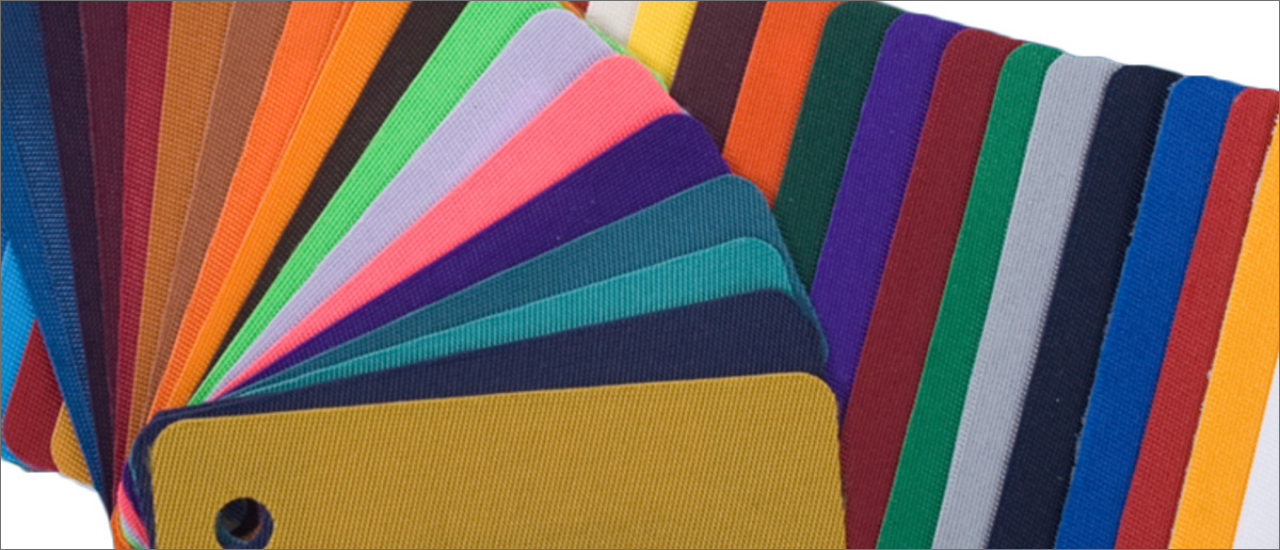
Order swatches for color matching and to show your customers exact shades of available colors for all of our heat transfer materials.

Order samples of our materials and transfers.

Heat transfer material color swatches.

Questions & Answers

Everyone has questions. Tell us yours.

Q:
What is the difference between samples and swatches?
A:
Swatches are color samples. A piece of material in each available color is placed on a ring so you can see the exact shade of each color.

Samples are designs cut from materials. While some samples come already applied to sample fabric, most need to be applied with a heat press.
Q:
Do samples come already applied to fabric or do I need to heat apply them?
A:
Some samples come already applied to fabric. These are: 3M Reflective 8710, GORILLA GRIP II, Thermo-FILM®, Thermo-FLOCK®, and Thermo-GRIP®. All other samples should be applied with a heat press.
Q:
Why can't I feel the texture of some of my swatches?
A:
Many CAD-CUT® heat transfer materials come on a clear plastic carrier. Some examples are Flock, Glitter Flake, Fashion-FILM™, and Premium Plus™. For these materials, you will have to peel the carrier in order to feel the texture of the material itself.

Ask a question

Leave us a question and we'll post the answer shortly. If you need an immediate response, please use live chat.

1. Contact Information:

Name
Company
Email

2. Question Category:

3. Enter Question:

SUBMIT >RESET
Want to learn more?
Visit our Blog.
GO >

Review this product.

1. Contact Information:

Name
Company
Email

2. Rate this item:

3. Title for your review:

4. Write your review:

SUBMIT >RESET